
Guide
A4 vs. A3 Printers for Your Office: Letter Size or Larger?
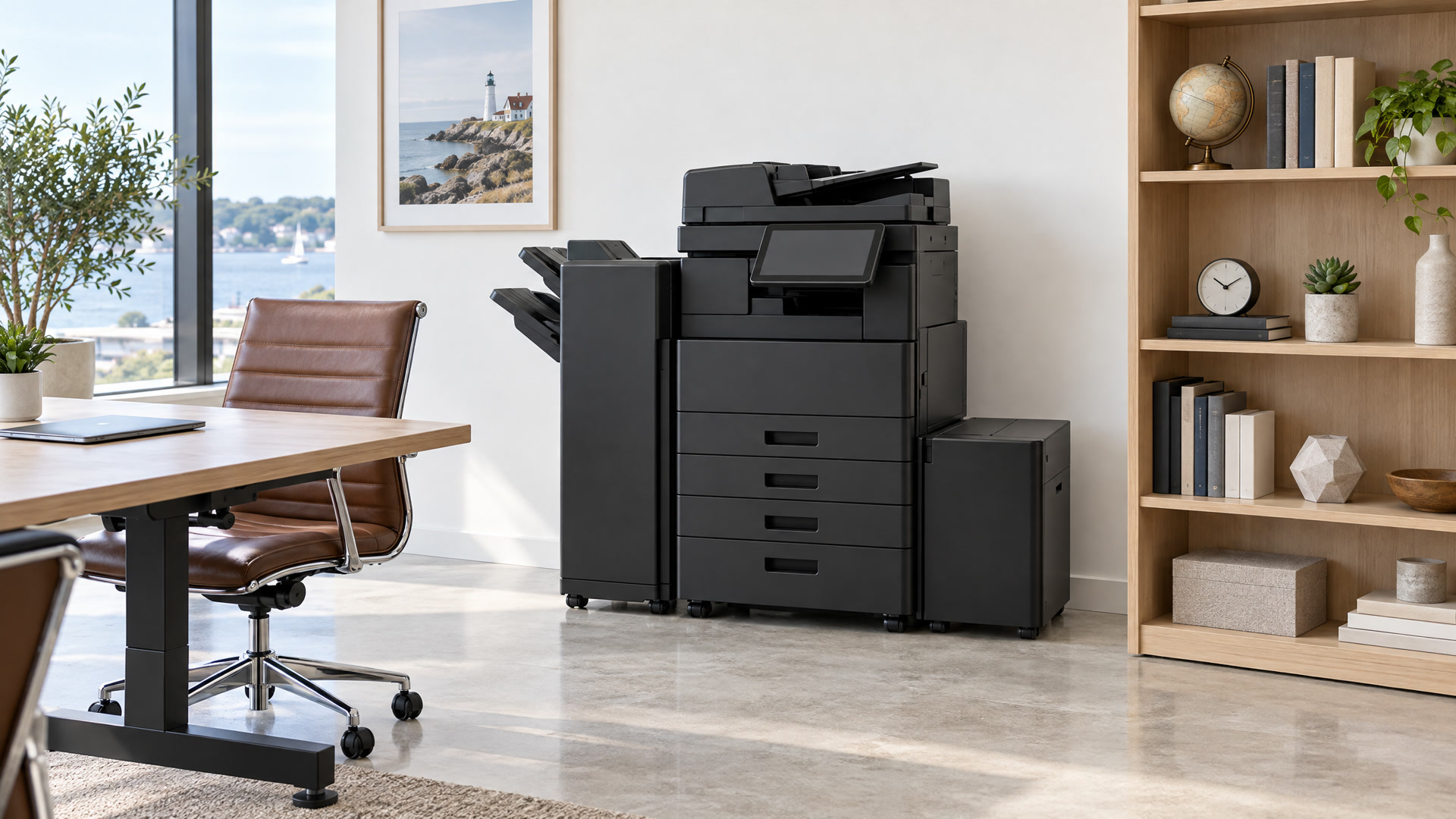
Offices shopping for a new multifunction printer hear “A4” and “A3” and assume the only difference is paper. Paper size matters, but so do footprint, monthly volume and whether the machine needs to staple or run a long job without babysitting. For teams around East Greenwich and across Southern New England, the right choice is usually the device that matches how people actually print, not the biggest box on the floor.
What A4 and A3 mean in a U.S. office
Most U.S. offices think in letter and tabloid, not A-series sizes. The labels still show up on copier quotes, so it helps to translate.
A4 is close to U.S. letter (8.5 by 11 inches). An A4 device is built around that everyday sheet: invoices, contracts, emails, forms and short reports.
A3 is roughly twice that area. It lines up with U.S. tabloid or ledger (11 by 17 inches). An A3 multifunction printer can still print letter pages, and it can also handle larger sheets for spreadsheets, posters, facility maps and training handouts.
So the size question is really: do you need larger-than-letter output often enough that the machine should be built for it, or will letter-size work carry the day?
What else changes besides paper
Footprint. Compact A4 multifunction printers sit on a desk, a counter or a small cabinet. Larger A3 units need floor space and a clear path for the service tech. In a Main Street suite where every square foot earns its keep, that alone can decide the short list.
Volume and duty cycle. Bigger A3 machines are often built for higher monthly page counts, larger paper drawers and longer document feeders. A busy front desk that prints and scans all day usually wants that capacity. A three-person team that prints a few dozen pages a day usually does not.
Finishing and workflow. Stapling, hole punching, booklet folding and high-capacity feeders show up more often on A3 configurations. If your office builds packets for meetings, patient charts or client binders, finishing can save more time than a slightly faster letter-size engine. If you mostly print and scan single documents, a compact multifunction unit may already cover print, copy and scan without the extras.
Modern A4 multifunction printers have closed a lot of the gap on screens, scanning and cloud send. The split is less “cheap vs powerful” than “letter-size workhorse vs larger-format workhorse.”
When an A4 or compact multifunction printer fits
Choose the smaller class when most of the work is letter-size and the pile is modest.
- Small teams and shared desks. A compact unit near the people who use it beats a hallway machine nobody wants to walk to.
- Lower volume. Light to moderate letter pages and rare 11 by 17 jobs mean A3 capacity often sits unused.
- Tight space. Reception counters, exam-adjacent workrooms and converted retail suites often cannot host a floorstanding A3 unit.
- Simple jobs. Print, copy, scan to email or a shared folder. Many A4 multifunction printers handle that in one device.
As an authorized Xerox channel partner, we place compact and larger Xerox options through our copier solutions lineup. For qualifying businesses, the No Catch Printer Plan can put a brand-new printer or multifunction device in place with no upfront cost when supplies come through us. The $30 Copier Program places a brand-new Xerox multifunction copier for $30 per month with toner, maintenance and support included under the same supply arrangement.
When an A3 or larger multifunction printer still wins
Keep the larger class on the list when the work calls for it.
- Larger sheets. Tabloid reports, marketing comps, facility maps and classroom materials are awkward or impossible on a letter-only device.
- High volume. Shared departments that run hundreds of pages a day lean on deeper trays, stronger feeders and a duty cycle meant for that load.
- Finishing is part of the job. If someone stands at a stapler after every board packet, an integrated finisher returns that time to the week.
- One office hub. Some teams want one central multifunction printer that holds enough paper for a busy morning, scans into shared folders and still prints letter when needed.
Larger does not mean better for every room. It means better when the workflow above is real.
Often the answer is a mix
Plenty of Southern New England offices do not need every machine to be the same size. A common pattern is one larger multifunction printer for the high-volume area, and compact A4 devices for quieter desks or a second floor.
That mix only works if you know who prints what. Guessing from the sales sheet puts an oversized unit in a quiet corner and a small unit next to the people who print the packets.
Our managed print services start with a free print environment assessment. We look at the devices you already have, how much you print and what you spend before anything changes. Managed print can keep working equipment in place, deliver toner automatically, include service calls and repairs, and put the plan on one monthly invoice without a long-term contract. Printer Pulse monitoring tracks toner levels and page counts so supplies arrive before the tray goes empty.
Right-sizing is the point. The goal is not the most powerful machine in every hallway. It is the right machine where it earns its keep.
Color: keep it, but control it
Color still matters for presentations, client-facing pages and branded materials. Unchecked color on every draft raises supply cost without improving the work.
Many offices keep color available and set simple rules: default to black for routine pages, reserve color for the jobs that need it, and use department codes or user tracking when the team is large enough that “who printed that” matters. A managed print assessment is a good time to look at color share next to volume, because both show up on the same invoice. We look at your meters and supply history.
Talk through A4 vs. A3 with us
Walk the floor with three questions: what size do you print most weeks, who shares each machine and how many pages, and do you need stapling or other finishing. If almost everything is letter, start with A4-class options. If tabloid shows up often, keep A3 on the list.
If a machine is already down, fix that first. Our printer repair team offers same-day and next-day on-site service across Southern New England for major brands including HP, Xerox, Canon, Brother, Konica Minolta and Ricoh, wherever you bought the equipment. We carry common parts in our trucks, and many repairs finish on the first visit.
Call (401) 515-2011 or contact us for a straight read on letter-size versus larger devices. Tell us how many people share each printer, whether you need 11 by 17, and what frustrates you about the current setup. Supplies for business customers ship with free delivery and empties pickup through EasyOrder on our ink and toner page.
We are at 776 Main St, East Greenwich, RI 02818, open Monday through Friday from 9:00 AM to 5:00 PM and Saturday from 10:00 AM to 4:00 PM.